*If you're returning from a break in setting up your tournament's website:
1. Go to your tournament's URL and log in.
2. Click Administration
SET SPEAKER GOALS PER ROOM
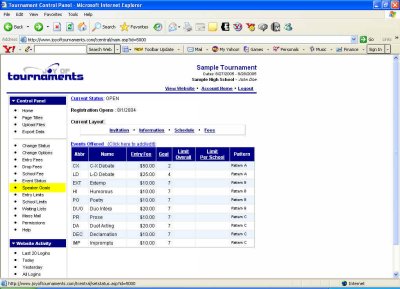
Setting speaker goals per room means determining the maximum number of speakers we hope to have in each room in each event. About half-way down the column on the left you'll see the title, Speaker Goals.
Click on Speaker Goals.
The values listed here indicate how many competitors/entries you hope to have in each room/section at the tournament for each event. These will already be set to commonly used values: 7 students per room in Individual Events, 2 debate teams per room in CX, and 4 debaters per room in L-D (flighted). The "goal" is exactly that - a "goal". The website only uses the "goal" to estimate the number of rooms necessary for the event. You may set a goal of 6 students per room in an event and later change that number to 7 when you see that the field is so large that you don't physically have room in your building for the event. If you aren't using the room estimation feature on the website, then you may skip this step.
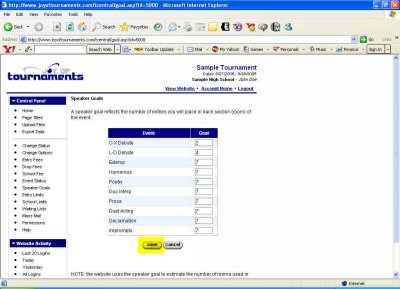
In each box you may delete the number currently listed and type in your own preference for speaker goals. When you've changed all goals you wish to change, click Save. You will then be returned to the previous page, which should now reflect the speaker goals you've just entered.
Next, if you plan to limit how many competitors can enter each event, let's Set Event Limits.