1. Go to your tournament's URL and log in.
2. Click Administration
ENTRY FEES
One of the best features The Joy of Tournaments website registration is that it keeps track of the fees each school incurs, so this is a key step to setting up your site. You've already set judges' fees when you set judge quotas. The other three fees typically charged at speech and debate tournaments are entry fees, school fees, and drop fees.
We'll start here with Entry Fees. In the left-hand column under Control Panel you should see the title Entry Fees.
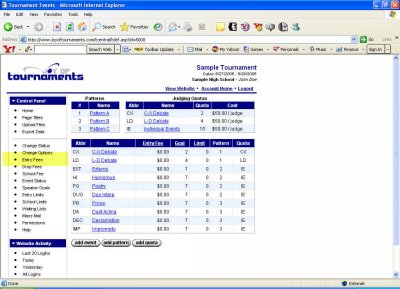
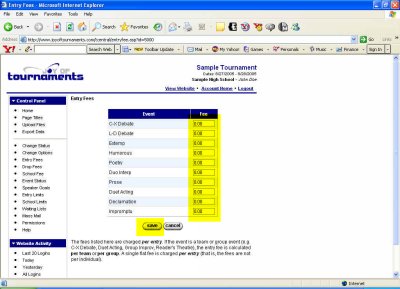
Click on Entry Fees. This will take you to a page with a table used for entering the fees for your tournament.
In the box next to each event, simply type in the fee for that event. For one-person events you're entering the fee per person, and in pairs or group events you're entering the fee per team. When you've typed in all the appropriate fees, click Save. You will then be returned to the previous page, which should now include the entry fees you've just saved.
Next, we can set up Drop Fees for your tournament.